
FAQ sections in blog posts help readers find answers quickly, improve search visibility, and strengthen the overall structure of your content.
Contents
When used consistently, they turn each post into a more complete resource, reduce friction for readers, and help search engines understand the depth and relevance of your topic.
For blogs aiming to build authority and trust, FAQ sections in blog posts are one of the most effective additions you can make.
How FAQ sections support reader needs
Readers often arrive on a blog with specific questions in mind. Even if your main article covers the topic well, there are always smaller, related questions that readers want answered.
FAQ sections in blog posts give them a clear, convenient place to find those answers without leaving the page.
They improve the reading experience by:
- Addressing common concerns directly
- Reducing the need for readers to search elsewhere
- Offering quick, scannable information
- Helping readers feel understood and supported
Many readers scroll straight to FAQs because they expect fast answers. This behavior is well documented.
One article notes that visitors often “make a beeline straight for the frequently asked questions section moments after they reach your site,” highlighting how FAQs meet immediate user intent.
Why FAQ sections matter for SEO
FAQ sections in blog posts strengthen SEO by improving structure, relevance, and internal linking opportunities. Search engines value content that answers user questions clearly and comprehensively.
When your post includes an FAQ section, it signals that the page covers the topic in depth.
Key SEO advantages include:
- Improved keyword coverage — FAQs naturally include long‑tail queries.
- Better chances of appearing in rich results — Search engines often pull FAQ content into featured snippets.
- Stronger topical authority — Covering related questions shows depth and expertise.
- Lower bounce rates — Readers stay longer when their questions are answered.
Research on user behavior supports this.
One article explains that frequently asked questions “improve the customer experience” and are an essential resource for both marketers and users.
How FAQ sections build trust
Readers trust blogs that anticipate their needs. When you include FAQ sections in blog posts, you show that you understand the topic well enough to address the questions people commonly ask.
This builds credibility and positions your blog as a reliable source.
FAQ sections also help:
- Clarify complex topics
- Reduce confusion
- Provide reassurance for uncertain readers
- Demonstrate expertise in a practical way
A well‑structured FAQ section makes your content feel complete and thoughtful.
Get a free blog health check!
Ensure your blog is in great shape, to rank high and attract readers, with BlogVitals.
Try BlogVitals free →No credit card required. Get insights in minutes.
Where to place FAQ sections for maximum impact
Placement affects how often readers use your FAQs. The most effective location is at the end of the post, after the main content. This aligns with natural reading behavior and keeps the article flowing smoothly.
Strong placement guidelines include:
- Keeping FAQs visually distinct but not distracting
- Using clear, conversational questions
- Keeping answers concise and helpful
- Ensuring mobile readability
Some blogs also place a short FAQ near the top for quick access, but the end‑of‑post placement remains the most common and effective.
Common mistakes to avoid
Even though FAQ sections are simple, a few errors can reduce their usefulness:
- Adding irrelevant or overly broad questions
- Writing answers that are too long or vague
- Using jargon that confuses readers
- Forgetting to update FAQs as content evolves
- Repeating information already covered in the main article
A good FAQ section should feel fresh, relevant, and genuinely helpful.
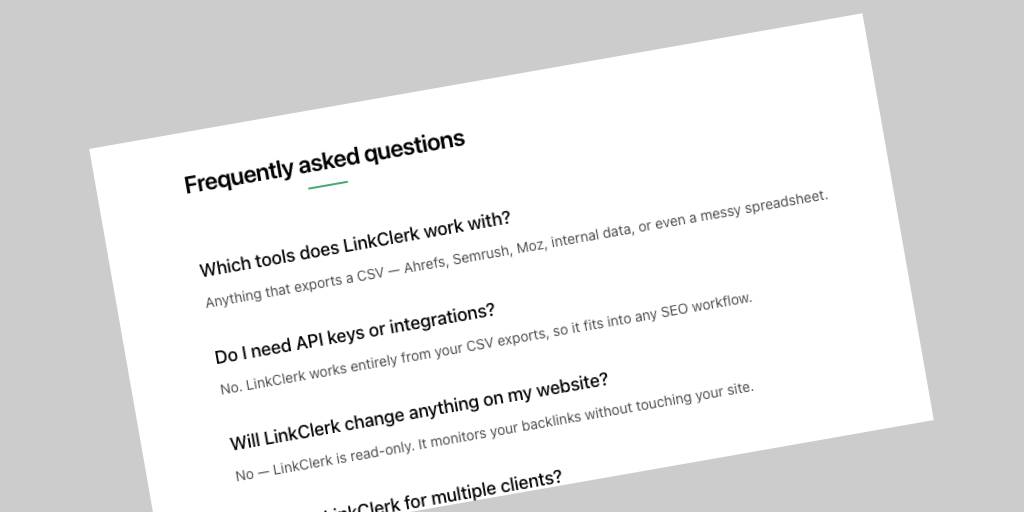
Bringing FAQs into your content workflow
A consistent workflow helps you get the most value from FAQ sections on blog posts:
- Collect questions from comments, emails, and search queries
- Add new FAQs when you update older posts
- Use FAQs to support internal linking to deeper content
- Keep answers short, clear, and actionable
- Review performance to see which questions get the most attention
This approach keeps your blog aligned with user intent and strengthens your overall content strategy.
Conclusion
FAQ sections in blog posts make your content more useful, more discoverable, and more trustworthy.
They help readers find what they need quickly while giving search engines clear signals about the depth of your topic.