
ALT tags in blog posts play a crucial role in accessibility, search visibility, and overall content quality. They describe the meaning of an image when the image itself cannot be seen—either by a reader using assistive technology or by a search engine that cannot interpret visuals on its own.
Contents
Strong ALT tags in blog posts help your content reach more people, improve user experience, and strengthen your SEO foundation.
What ALT tags are and why they matter
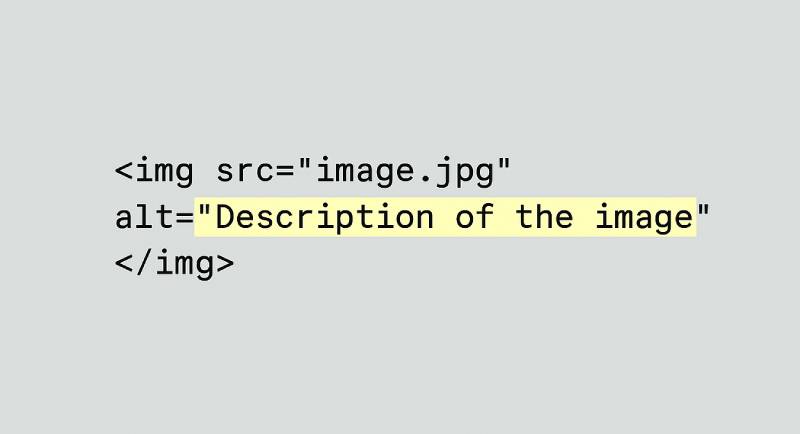
ALT tags (alternative text attributes) are short text descriptions added to images in your HTML. Their purpose is to explain what an image represents. This matters because search engines and screen readers rely on text, not visuals, to understand content.
A detailed guide explains that ALT tags “provide a description of what is contained within an image, helping search engine crawlers understand the content on your page.”
Another resource notes that ALT tags act like audio descriptions in movies, painting a picture with words for users who cannot see the image.
– Elementor
This combination of accessibility and clarity makes ALT tags essential for modern blogging.
How ALT tags improve accessibility
Accessibility is one of the strongest reasons to use ALT tags in blog posts. Screen readers announce ALT text to describe images to users with visual impairments. Without ALT tags, these readers miss important context or meaning.
ALT tags support accessibility by:
- Providing meaningful descriptions for non‑text content
- Helping users understand images that convey information
- Ensuring your blog meets modern accessibility expectations
- Making your content usable for a wider audience
When ALT tags are missing, screen readers may simply say “image,” which offers no value.
Get a free blog health check!
Ensure your blog is in great shape, to rank high and attract readers, with BlogVitals.
Try BlogVitals free →No credit card required. Get insights in minutes.
Why ALT tags support SEO
Search engines cannot interpret images without text. ALT tags give them the information they need to understand how an image relates to your topic. This strengthens your SEO in several ways:
- Better image indexing
- More relevant search signals
- Improved chances of ranking in image search
- Stronger topical alignment within the post
One article highlights that image alt tags can be “a game‑changer for SEO, helping search engines understand what your images are about and how they relate to your content.”
Another source emphasizes that ALT tags boost page relevance and help Google interpret your content more accurately.
For bloggers, this means more opportunities to appear in both standard and image search results.
How ALT tags improve user experience
ALT tags also contribute to a smoother reading experience. When images fail to load due to slow connections or technical issues, ALT text appears in their place. This ensures readers still understand the context.
ALT tags also help clarify the purpose of decorative or functional images, such as icons, diagrams, or screenshots.
Best practices for writing strong ALT tags
Effective ALT tags in blog posts follow a few simple guidelines:
- Be specific and descriptive
- Keep the text concise
- Include keywords naturally when relevant
- Avoid starting with “image of” or “picture of”
- Match the ALT text to the image’s purpose in the post
A guide on writing ALT text recommends being descriptive and concise while including relevant keywords naturally.
This balance helps both readers and search engines.
Common mistakes to avoid
Even though ALT tags are simple, a few errors can weaken their effectiveness:
- Leaving ALT tags empty
- Stuffing keywords unnaturally
- Using the file name as ALT text
- Writing overly long descriptions
- Duplicating the same ALT text across multiple images
These mistakes can confuse search engines and reduce accessibility.
Bringing ALT tags into your blogging workflow
A consistent workflow helps ensure your ALT tags stay accurate and effective:
- Add ALT text when uploading images
- Review ALT tags during your editing process
- Update ALT text when refreshing older posts
- Use tools or plugins that highlight missing ALT tags
- Keep descriptions aligned with the purpose of each image
This approach keeps your blog accessible, search‑friendly, and reader‑focused.
Conclusion
ALT tags in blog posts are a small detail with a big impact. They improve accessibility, strengthen SEO, and help readers understand your content in any situation.